 Encore
Widgets
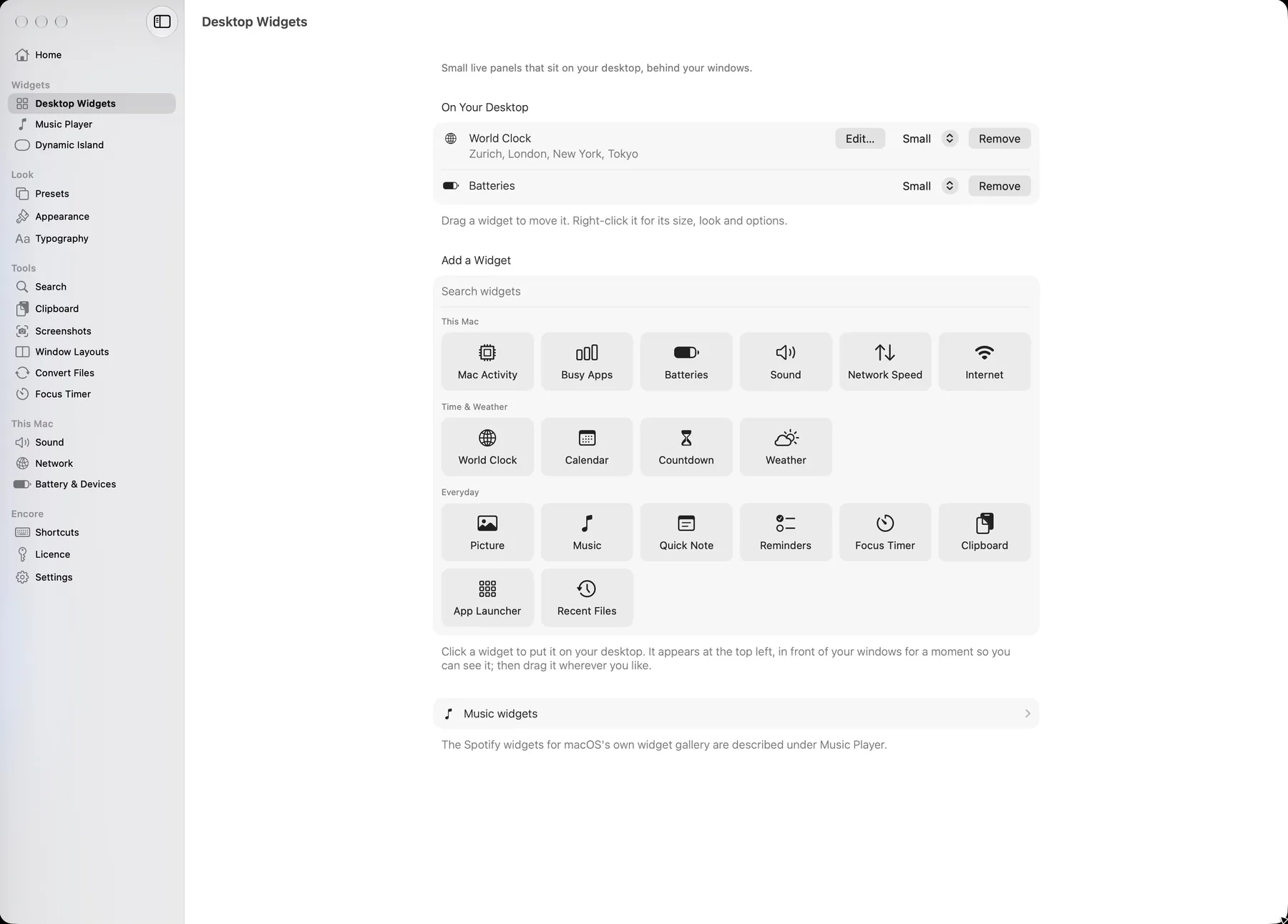
18 widgets for the desktop.
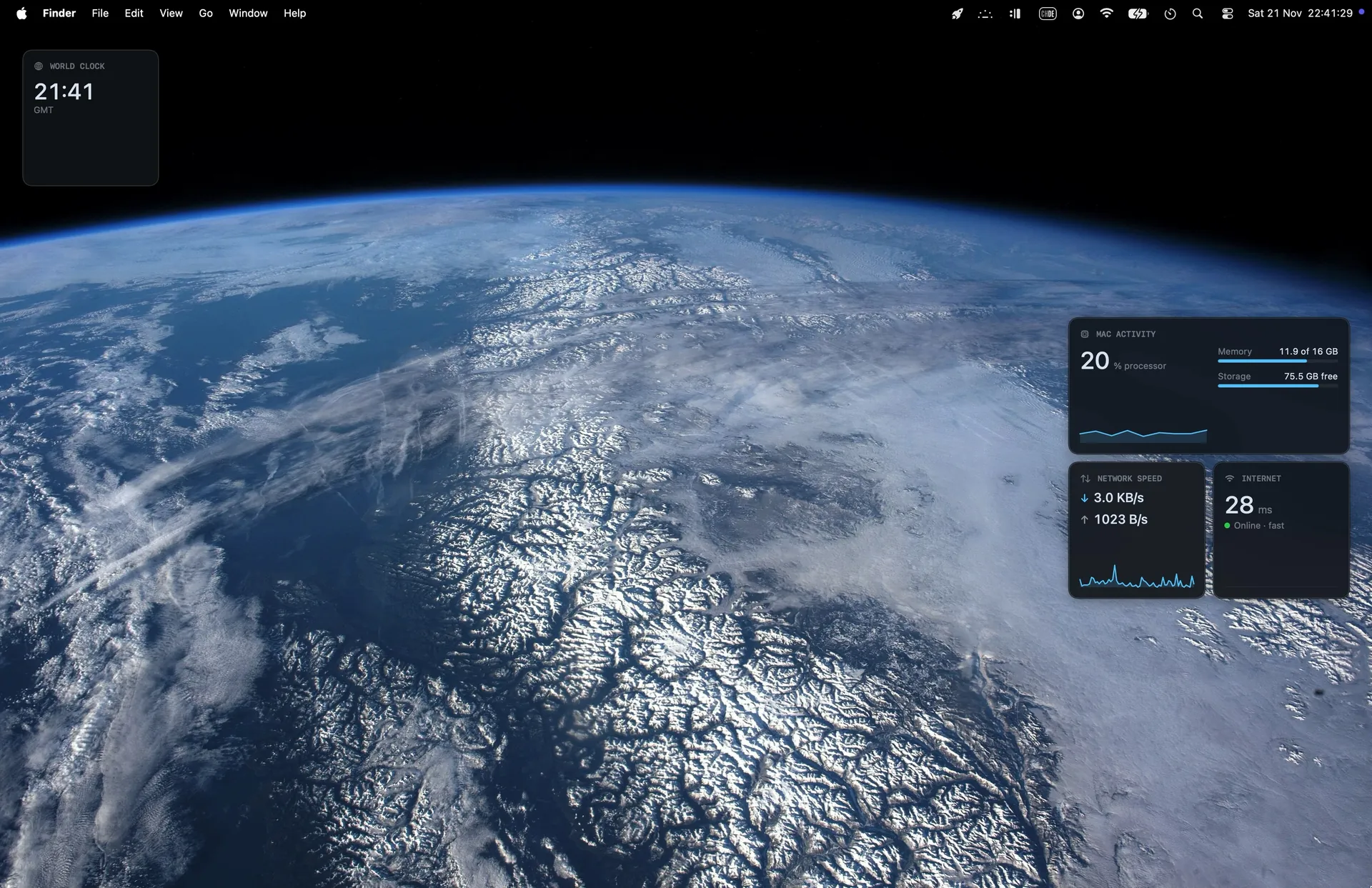
They sit on the desktop, behind your windows, in three sizes. Every figure is real: no sample numbers on your Mac.
This Mac
- Mac Activity. Processor, memory and storage, as they are now.
- Busy Apps. The apps using the most processor time.
- Batteries. This Mac and connected devices.
- Sound. The output and its volume.
- Network Speed. What is going up and coming down.
- Internet. A ping every few seconds and the data used today.
Time and weather
- World Clock. Up to four cities.
- Calendar. Today and your next events, after you allow it.
- Countdown. Days to a date you set.
- Weather. Now, the next hours and days, for a city you choose.
Everyday
- Picture. One picture, or several in turn.
- Music. The song playing in Spotify.
- Quick Note. A note that stays put.
- Reminders. Your open reminders; tick them off.
- Focus Timer. The running session.
- Clipboard. The last things you copied.
- App Launcher. Apps you pick.
- Recent Files. What you worked on last.
Add, move, resize.
Click a widget to add it. Drag it where you want it. Right-click for its size and options.
Weather asks for a city; Calendar and Reminders ask macOS for access the first time. A widget that has nothing to show yet says so, instead of showing made-up content.
The tools beside them
Window layouts
Halves, thirds, corners and layouts of your own, each with a shortcut. Needs the Accessibility permission.
Sound
Outputs and inputs, the volume of single apps (macOS 14.2 or later), and a microphone meter.
Clipboard
Text, links and images you copied, searchable, kept only on your Mac.
Screenshots
Area, window or screen, recordings, GIFs, and an editor for arrows and text.
Convert files
Images, audio, video, PDF and documents, with the tools macOS ships.
Search and focus
One box for apps, files and calculations, and a timer for focused work.